


Many industrial manufacturing facilities expand their capacity by retrofitting existing spaces. However, expansion can crowd existing facilities, leaving less room for critical computing platforms and key performance indicator (KPI) visualization displays. Without sufficient control equipment, current processes can be challenged to meet critical quality standards and productivity can lag.
Fortunately, a variety of innovative space-saving options are now available that can help industrial facilities make the most effective use of virtually every square inch of usable space for computing and data analytics platforms, including hallways, production areas, and cleanrooms.
Paul Shu of ARISTA Corporation, a leading provider of computing platforms and visualization display products for harsh industrial environments, offers five tips to manufacturers who need to maximize their use of space within constrained facilities.
The company’s broad array of ruggedized products includes standard and custom solutions like thin clients, panel PCs, ruggedized touch displays, keyboard, video monitor, and mouse (KVM) solutions, as well as mobile and operator workstations.
Tip 1 – Increase flexibility with a pendant arm mount
When industrial operator workstations are required within tight confines, highly flexible stainless steel pendant arm designs can save a significant amount of space, according to Shu. With this option, the screen and connected keyboard are suspended by a pendant arm that is mounted to the wall. When needed, the user can extend, rotate, and swivel the workstation into the ideal position. When data entry is completed, the workstation can be pushed back against the wall, out of the way.
“Today, space efficient, pendant arm, 360° double-joint [single-screen] and triple-joint [dual-screen] designs make wall flush installation, folding, and workstation retraction easy tasks. The angle of the screen or keyboard in some models can be adjusted to accommodate operators’ various heights and specific requirements. This enables comfortable workstation operation over an extended period,” says Shu.

Tip 2 – Take advantage of wall-recessed workstations in hallways
When installing workstations in hallways or other space constrained areas, wall-recessed units are the perfect solution. According to Shu, 15, 17, 19, and 21.5-inch touchscreen displays can be fully recessed into a wall to allow greater clearance. There is even an option for a 55-inch large-format 4K display workstation with Quad View display so operators can visualize KPIs and take full control of the production data.
“Recessed workstation mounts should be utilized when hallways are employed for operational control while allowing maximum walking space,” says Shu.
The pendant arm can be utilized for a keyboard in hallways.
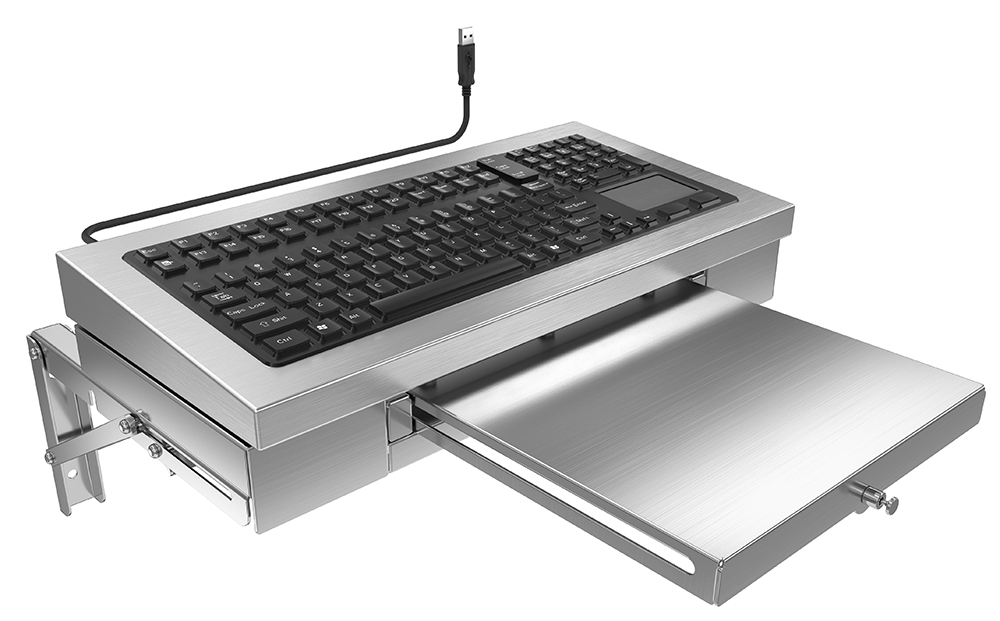
For use in tighter spaces, the company offers a wall-mount option, in which a hinged keyboard support stand with a sliding brace release from the wall. It folds back virtually level with the wall when not in use. A lockable utility tray that extends from the keyboard stand also enables the use of a full-size computer mouse and pad (viewable at https://www.youtube.com/watch?v=ZPBaC7AcUjw&t=16s).
Shu advises that a fanless cooling design should be implemented in wall-recessed models to ensure that the workstations operate stably and reliably. The compact design does not utilize bulky fans yet lowers the system’s operating temperature.
Tip 3 – Install wall, pedestal, or ceiling mounts to suit specific space requirements
Depending on the available space, wall, pedestal, and ceiling mounts can all play a role in better utilizing certain manufacturing facility configurations.
Shu notes that wall mounts come in several types and configurations, including fixed and adjustable height. Computing systems can be mounted to walls using a VESA Mounting Interface. With a floor-mounted pedestal mount, the workstation is situated on a compact platform supported by a stainless- steel column that occupies very little space. Ceiling mounts, as the name suggests, support the workstation and monitor from above, leaving the floor fully open for storage, production, or other uses.
Tip 4 – Take advantage of mobile workstations in any available space
Mobile workstations are increasingly popular in industrial manufacturing environments since the units can be used where needed and then moved out of the way. In addition, mobile workstations enable rapid and easy reorganization of the work environment and process flow for more flexible management.
“One mobile workstation can replace multiple fixed workstations, and there are no installation costs. Wireless connections allow for direct communication with manufacturing execution systems, electronic batch records (EBR), SOP, ERP, and other back-end systems,” says Shu.
To be truly mobile, ARISTA designed a wireless, portable system that operates on a heavy-duty lithium battery that allows the workstation to function seamlessly and uninterruptedly while in motion. The battery can last for several shifts before requiring a recharge, enabling full non-stop mobile operation over a 24-hour period.

Wi-Fi capability is built into the workstations to allow for uninterrupted wireless communication in all corners of the factory or laboratory. In addition, most advanced industrial manufacturing facilities today have Wi-Fi- based system backbones connected to legacy subsystems, meaning the workstation can communicate directly with the facility’s server.
“With no cables to be disconnected, managed, and reconnected, and with no break in any live or critical connections to re-establish, manufacturers can save time and significantly increase productivity,” says Shu.
The portable systems are completely enclosed and therefore fully compliant from a regulatory standpoint, which is essential for sensitive production environments. Eliminating the wires means removing integrity compromises and contamination caused by connecting and reconnecting systems to move the workstation. Each unit can do everything a stationary system can do while remaining mobile, which reduces both infrastructure cost and deployment complexity over a desk-based system.
Tip 5 – Custom solutions when all else fails
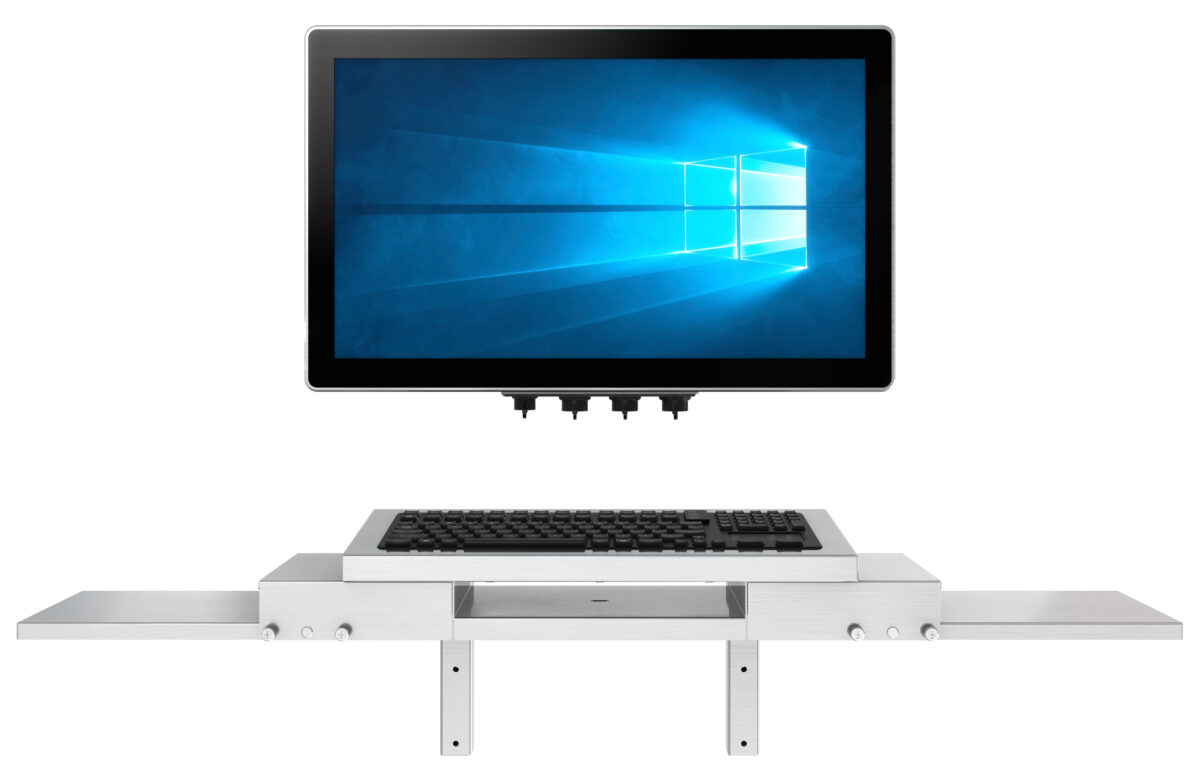
When standard catalogue options are insufficient, custom solutions can be required to fit into tight spaces or hallways. To do this, the equipment must often be customized as to the size, inputs, communication connections, mounting, battery types, and other factors.
Although the leading process automation equipment providers offer computing solutions, the options are limited. In addition, they are not typically flexible enough to provide custom computing system component solutions since this is not their core competency.
“Most providers offer basic monitors and workstations, but if there are specific space constraints or other design changes, they are not able to create new solutions or make minor changes to existing products,” says Shu.
In contrast, ARISTA has serviced industrial manufacturers for more than ten years and developed a broad range of products during this time. The company has a strong track record and capability to customize products to meet necessary process specifications.
“If there are unique requirements due to space constraints, we meet with the manufacturer to fully understand the situation and design a solution,” says Shu. “In six to eight months, we can deliver the first articles for approval, and begin production of the equipment.”
For more information, contact ARISTA Corporation at (510) 226-1800,
e-mail sales@goarista.com, or write to 48460 Lakeview Blvd., Fremont, CA 94538.
